Your ICE Train Companion for macOS
MacOS App
Inhaltsverzeichnis
Die eigene Reise mit Echtzeit-Zugdaten direkt in der Menüleiste im Blick behalten
TrainSpeed ist eine macOS-Menubar-App, die Reisen erleichert, indem sie auf einen Blick die wichtigsten Echtzeit-Zuginformationen anzeigt. TrainSpeed informiert zuverlässig, ohne den Arbeitsfluss zu stören.
Hauptfunktionen
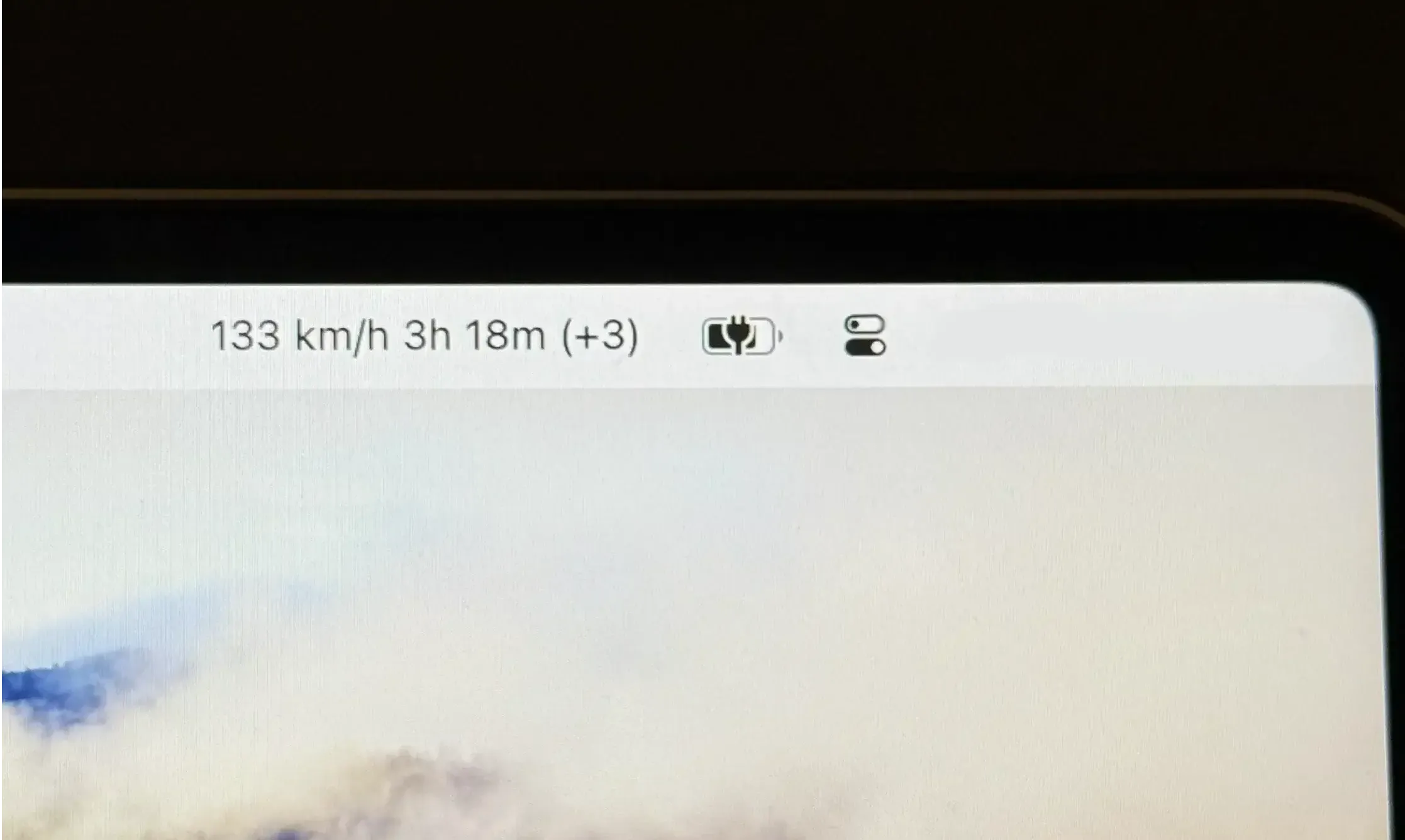
Zeigt die aktuelle Zuggeschwindigkeit, geschätzte Ankunftszeiten und Verspätungen an.
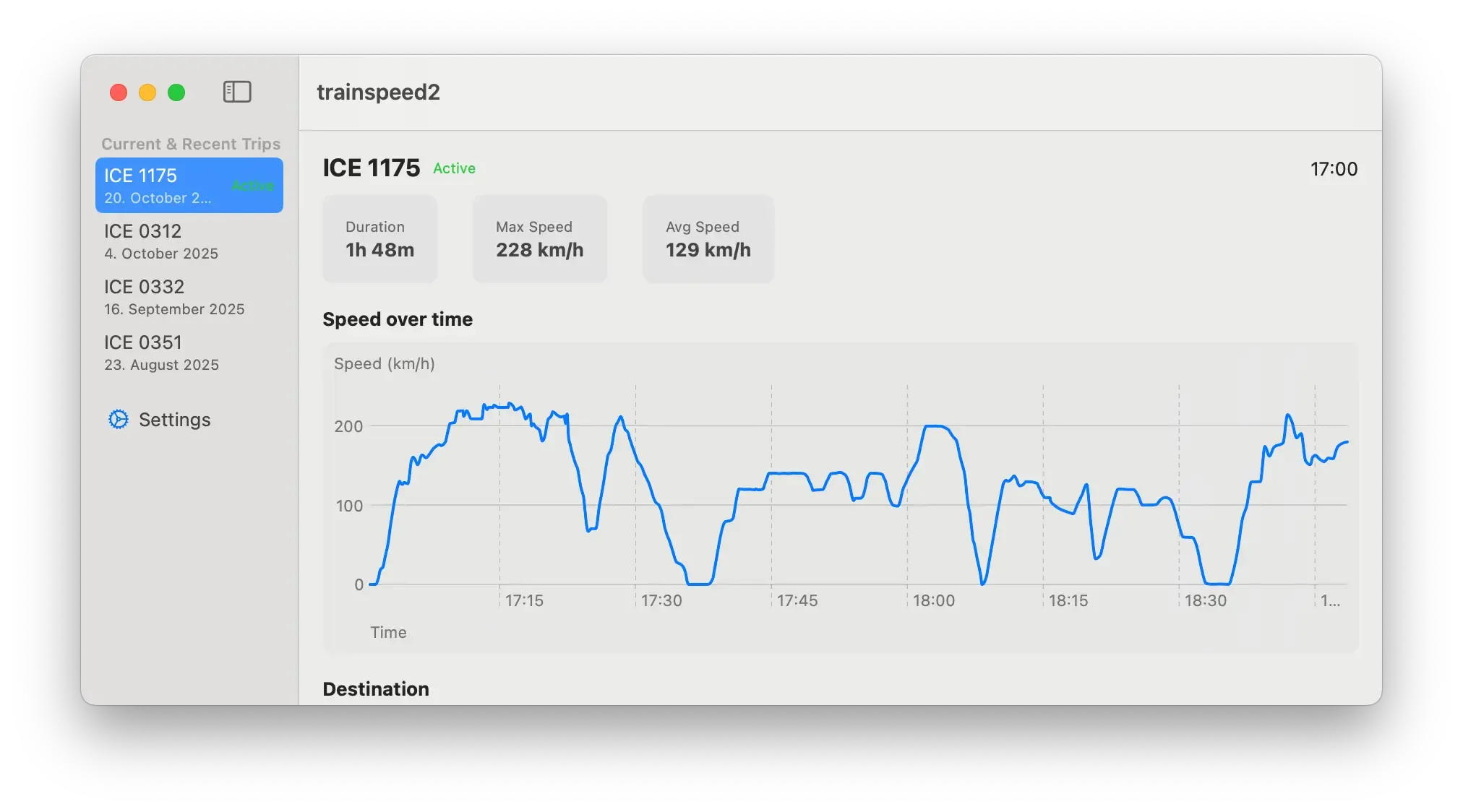
Zeigt detaillierte Informationen über aktuelle und vergangene Zugfahrten an.
Zielstation auswählen und so bezüglich der Ankunft immer auf dem neuesten Stand bleiben.
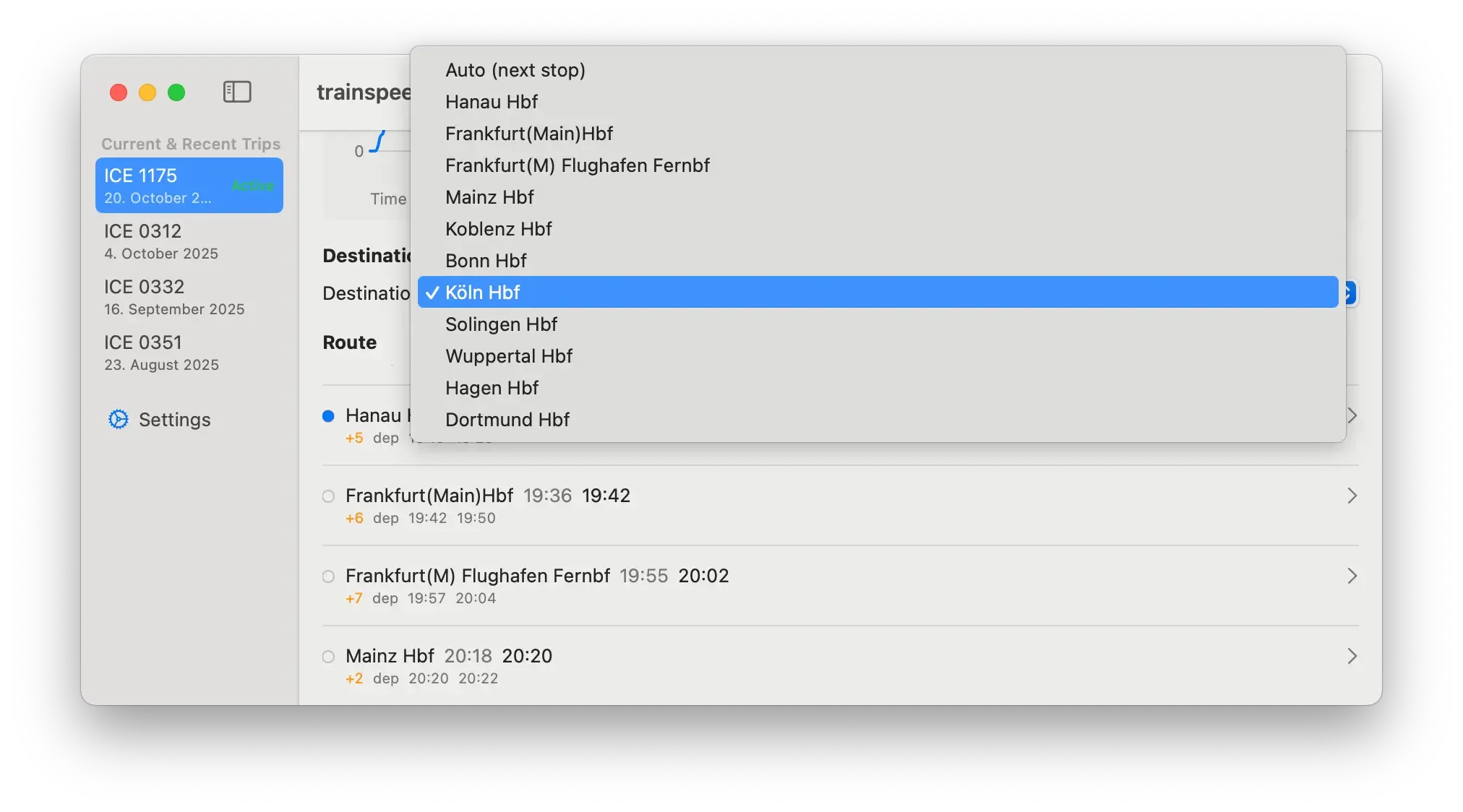
Anzeige des Verspätungsverlaufs für jeden Halt auf der Route.
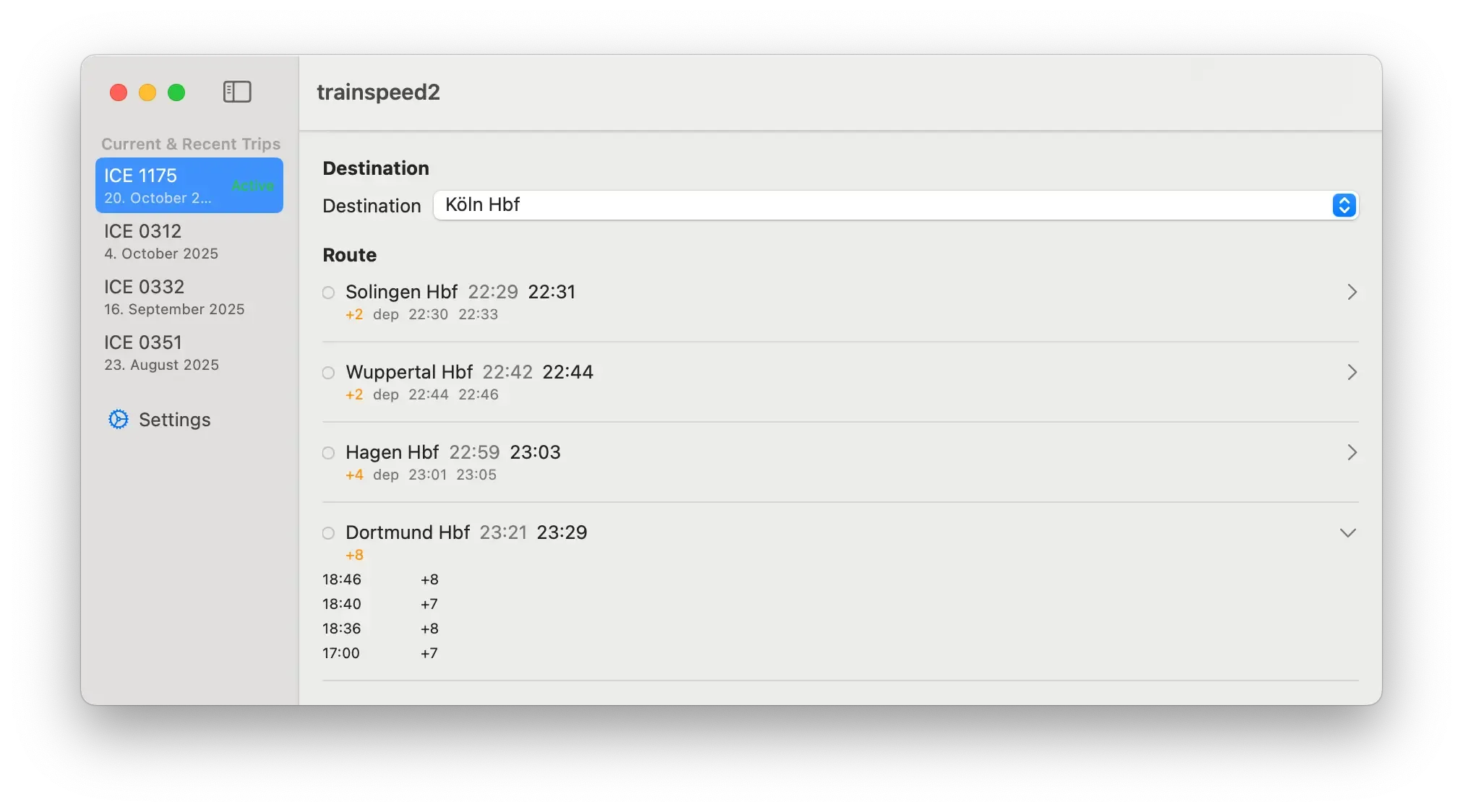
Individuell konfigurieren, welche Informationen in der Menüleiste angezeigt werden, sowie die Aktualisierungsintervalle anpassen.
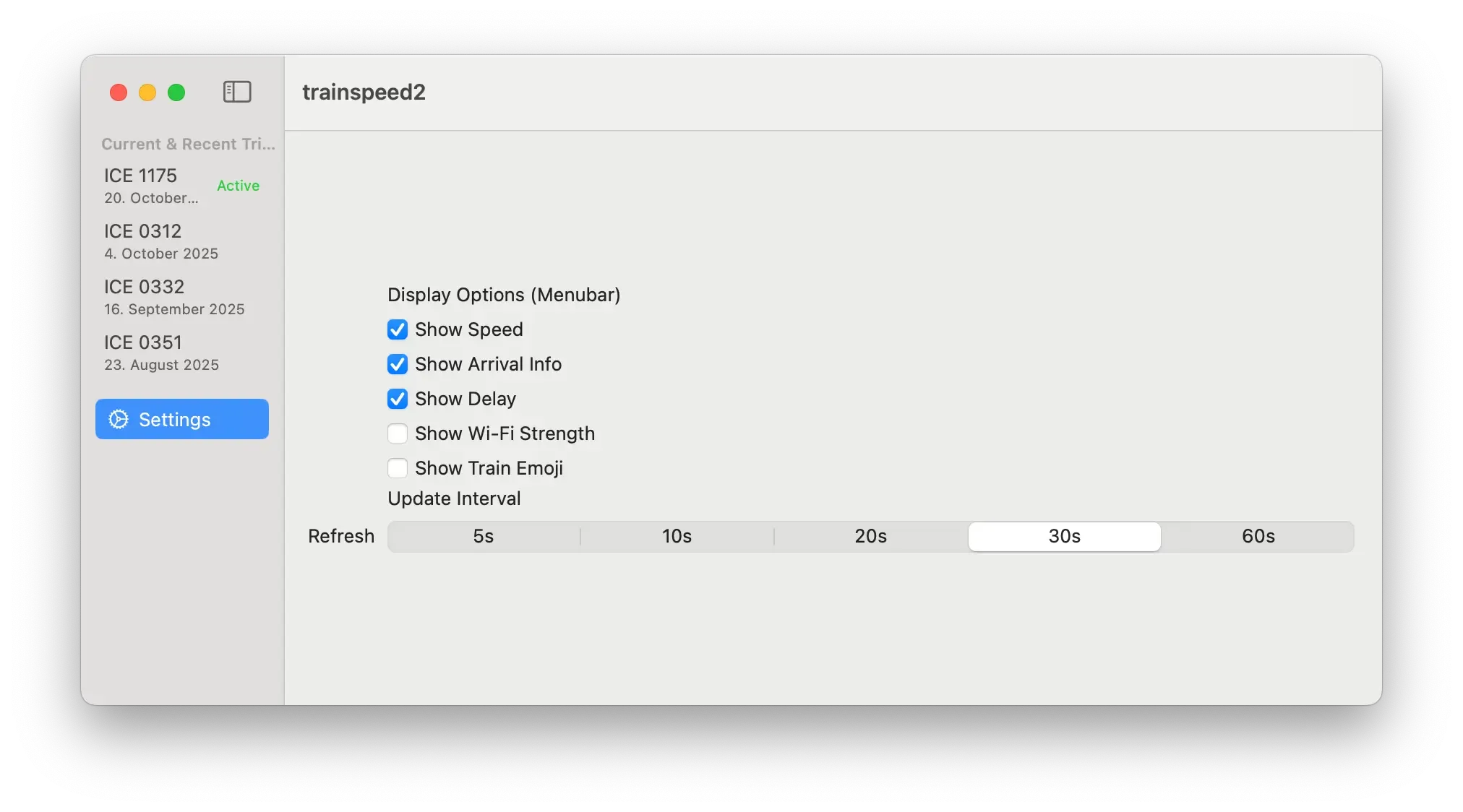
✅ WLAN-Signalstärkeanzeige
Systemanforderungen
- macOS 14.0 oder neuer
Einrichtung
- Die App über den folgenden Link herunterladen und entpacken.
- Die App in den Programme-Ordner verschieben.
- Die App öffnen und die Ausführung gegebenenfalls in den Sicherheitseinstellungen erlauben.
- Den Zugriff auf lokale Netzwerke erlauben (dies ist erforderlich, um die Daten vom ICE-Zug abzurufen).
- Sicherstellen, dass eine Verbindung mit dem ICE-WLAN besteht.
Wie es funktioniert
Die App verwendet dieselbe lokale Netzwerk-API wie das ICE Portal, um die aktuelle Geschwindigkeit und weitere Informationen aus dem ICE-Zug abzurufen. Die API ist nicht authentifiziert und kann von jedem Gerät aufgerufen werden, das mit dem ICE-WLAN verbunden ist. Es scheint, dass die API die Zuggeschwindigkeit etwa alle ~5 Sekunden aktualisiert. Aktualisierungsintervalle, die kürzer sind, bringen daher keine genaueren Ergebnisse hinsichtlich der Geschwindigkeit, wohl aber potenziell schnellere Updates bei anderen Metriken wie der Ankunftszeit.
TrainSpeed ist eine unabhängige Anwendung und steht in keiner Verbindung zur Deutschen Bahn AG. ICE ist eine eingetragene Marke der Deutschen Bahn AG.
ICE Train Speed
macOS-App, die die aktuelle Geschwindigkeit eines ICE-Zuges und weitere hilfreiche Informationen anzeigt.

FRØ - no more bad weather
Umfassendes Brand Design Projekt mit Logo Gestalltung, Typografie, UI Design, Animation und vielem mehr.